
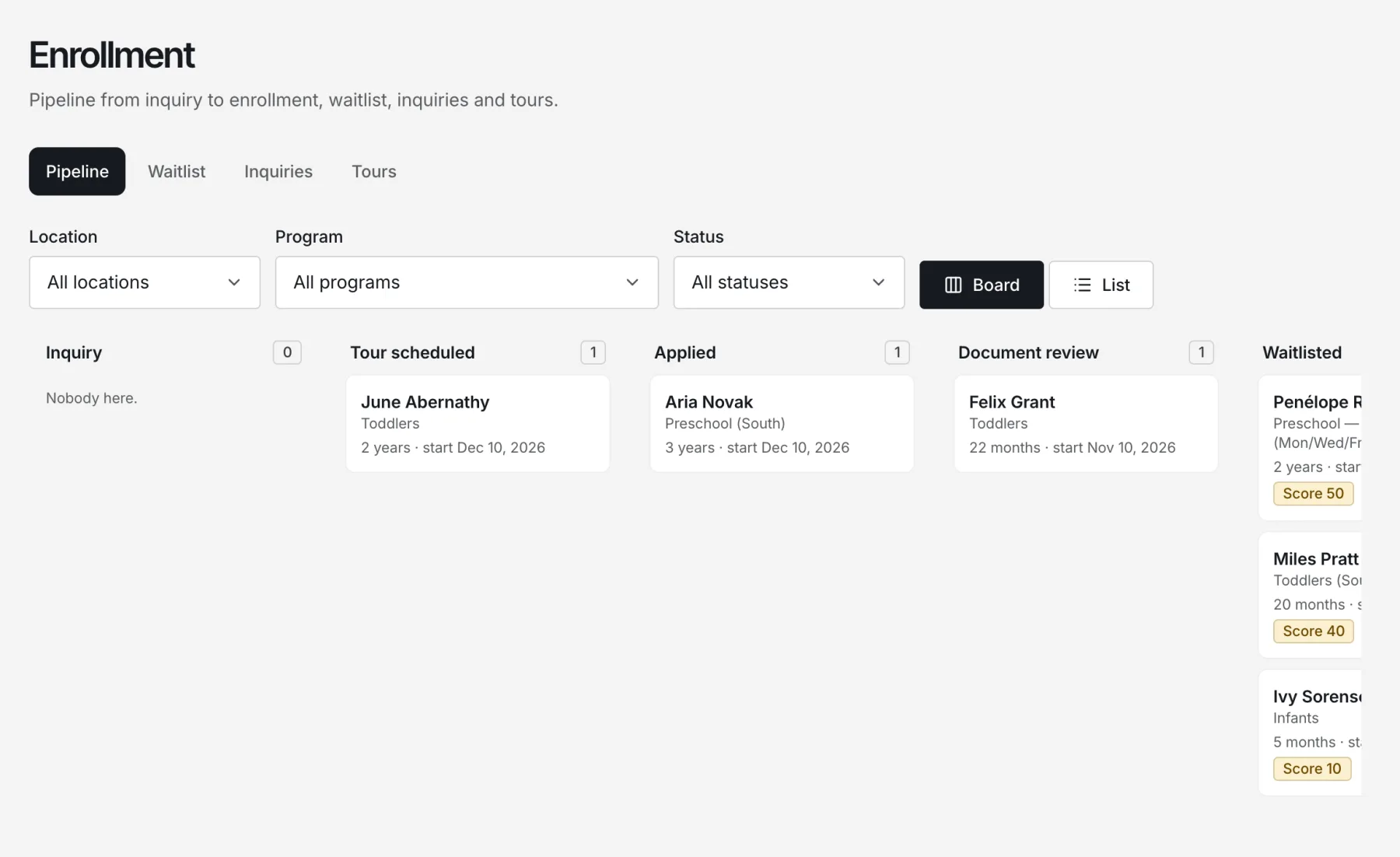
Enrollment that fills seats
Your own program website, online applications, a fair waitlist and offers that hold seats.
Child care management software
Nestunzo runs enrollment, check-in, daily care, family updates and tuition from one calm place — for directors, teachers and families, in English and Spanish.
Built the way programs actually work
Who it’s for
Directors, teachers and families each get a view made for what they need to do — and nothing they shouldn’t see.
Enrollment, staffing, billing and licensing records in one view, with reminders that keep nothing from slipping.
Check-ins, naps, meals, sleep checks and photos in a few taps, so the day stays about the children.
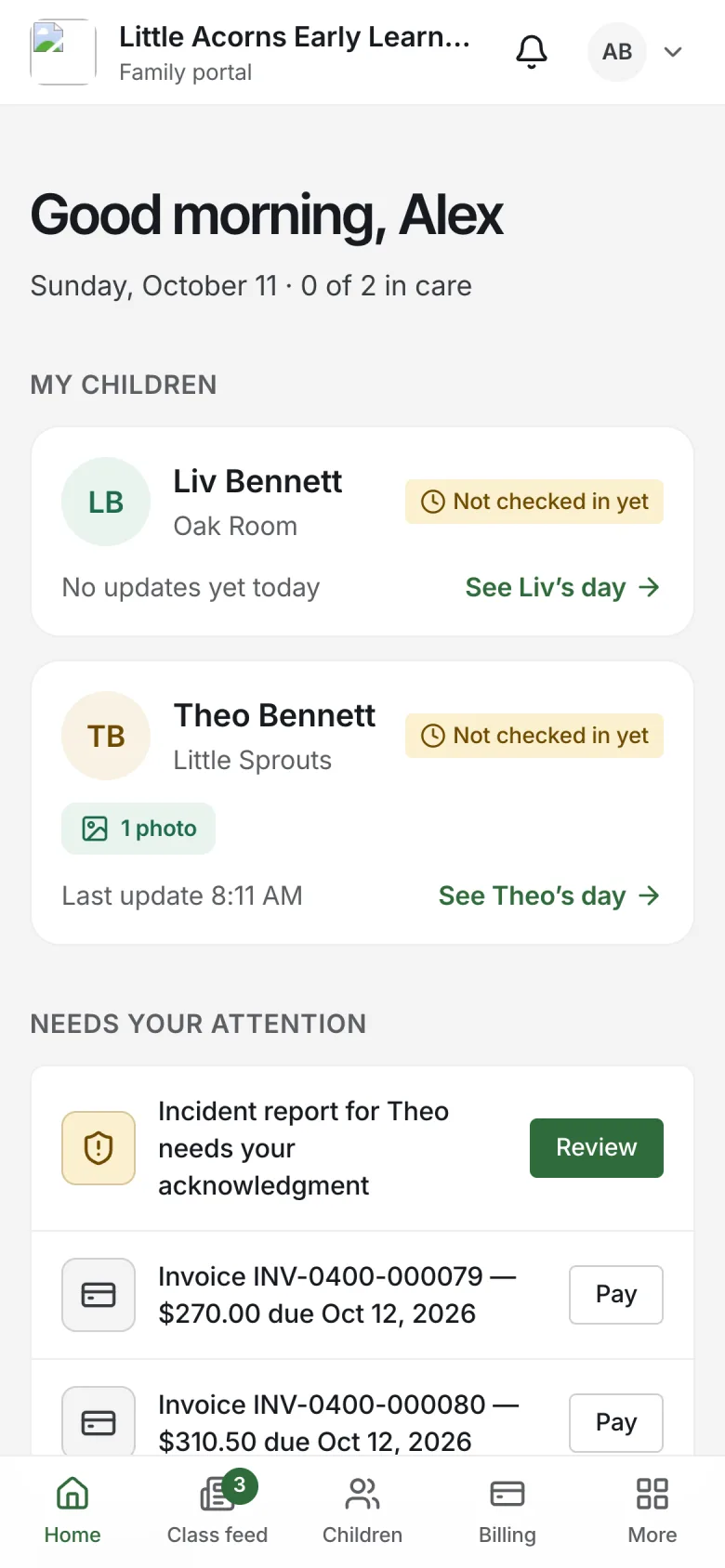
A private window into their child’s day, plus menus, forms and payments — in their own language.
Product
One subscription covers the whole day — from the first tour to the last pickup.
Your own program website, online applications, a fair waitlist and offers that hold seats.
Time-stamped logs that can’t be quietly edited.
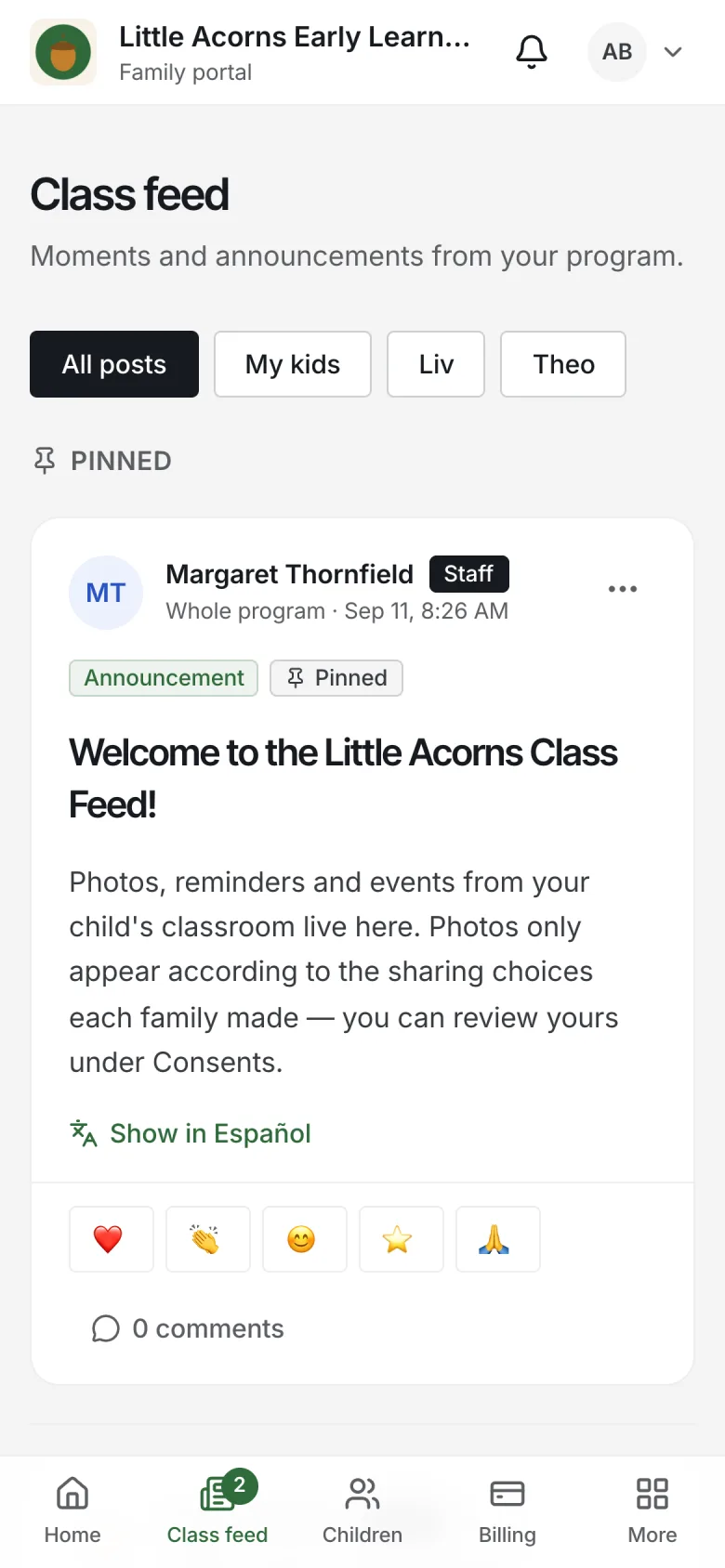
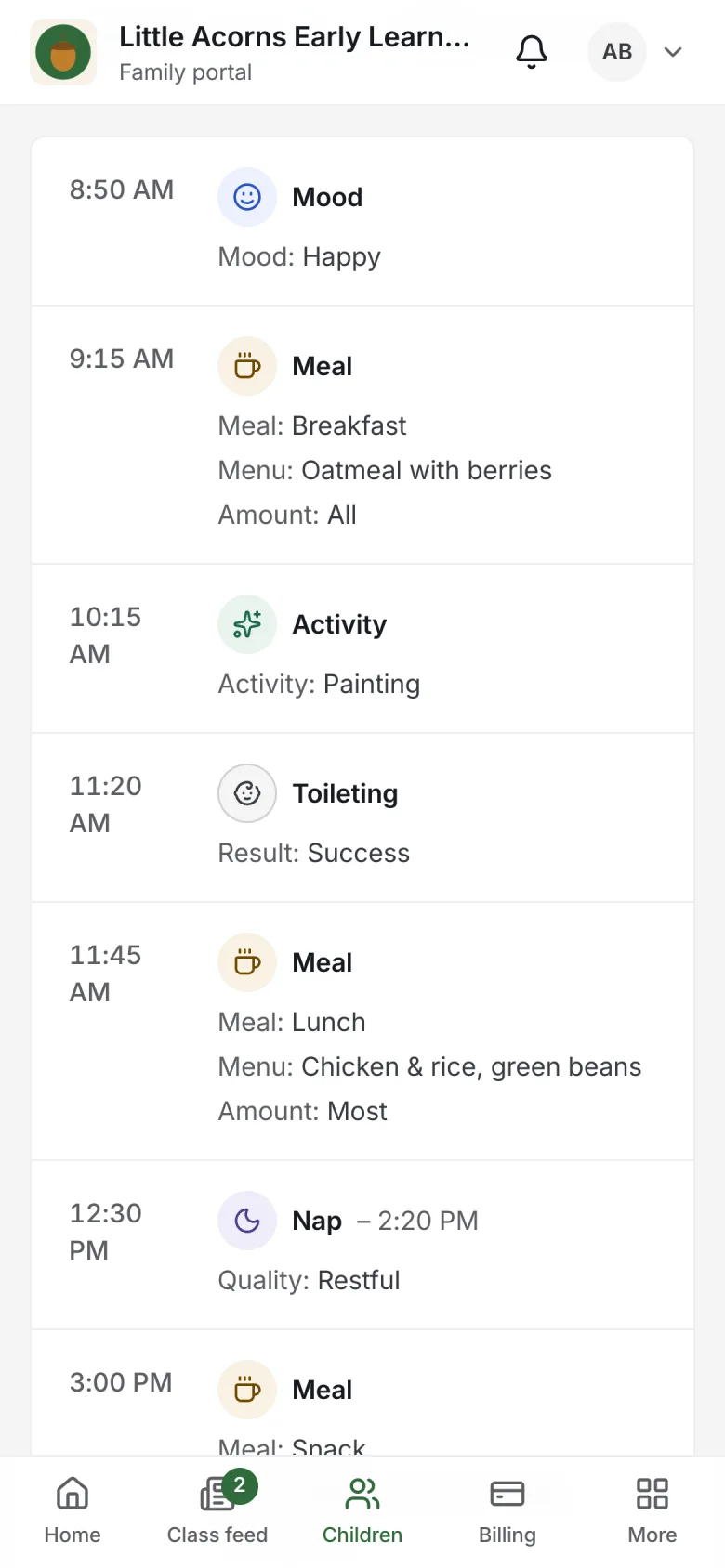
Daily reports, the class feed with photo consent, menus and messages.
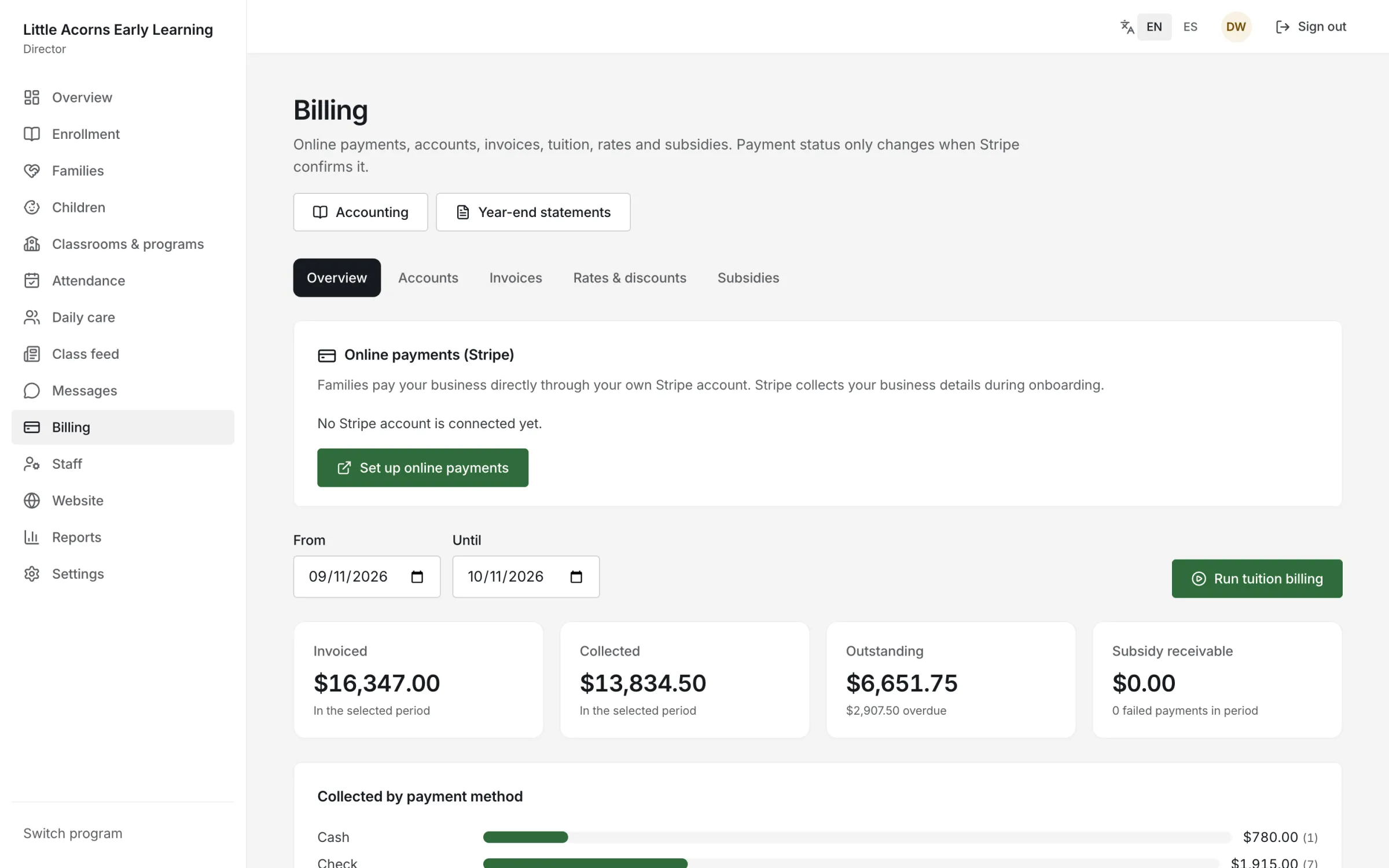
Invoices, autopay, installment plans, subsidies and QuickBooks Online sync.
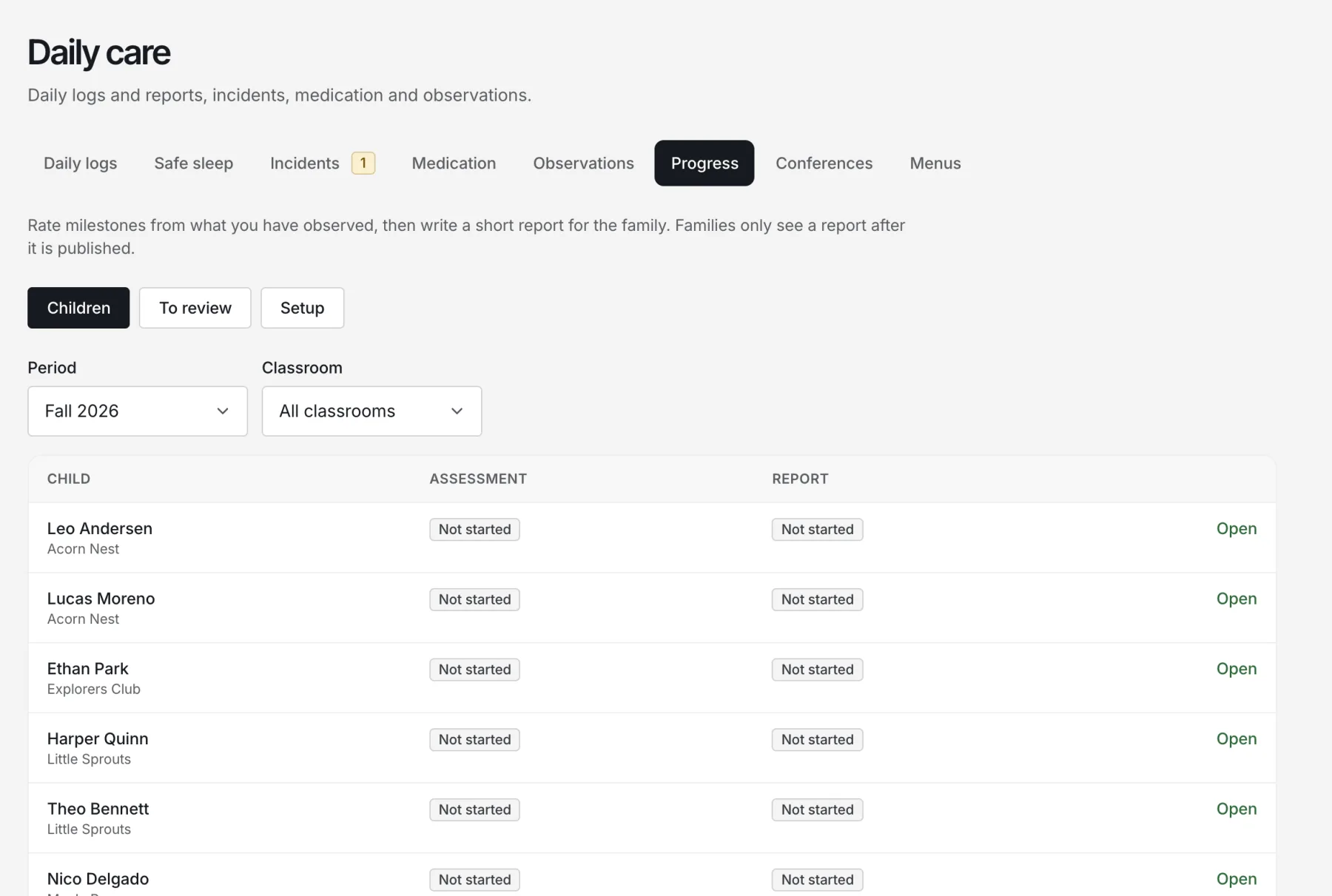
Milestones, short reports and a portfolio that grows all year.
Shift planner, time clock, credentials and payroll exports.
Safety records
Every safety log is time-stamped, tied to the person who recorded it, and can’t be quietly edited — mistakes are voided with a reason and stay visible.
Today at Austin North
Programs
Classrooms, ratios, kiosks and billing for a busy building.
Every location in one account, with staff limited to their own sites.
Progress reports, portfolios and family conferences.
Everything a small program needs, without the overhead.
Fast check-in, authorized pickups and simple billing.
Why switch
| Why switch | Paper, spreadsheets & group texts | With Nestunzo |
|---|---|---|
| Sign-in | Paper sheets at the door | Kiosk PIN or QR, with authorized pickups |
| Sleep & health checks | Clipboards that get lost | Timed checks with overdue warnings |
| Family updates | Personal phones and group texts | Daily reports and a private class feed |
| Tuition | Chasing checks and reminders | Autopay, reminders and online payment |
| Licensing visits | Digging through binders | Records ready to print or export |
Getting started
Add your locations, classrooms and the ratio rules that apply to you.
Add children and families as you go, or import them from a spreadsheet.
Staff and families get their own sign-in, in their own language.
Nestunzo was built around one rule: a child’s information belongs to the family and the program that cares for them.
Every program’s data is separated at the database level, not just in the app.
Each image is checked against every pictured child’s sharing choices, and links expire in minutes.
Safety and health logs are append-only; corrections are voided with a reason.
Encrypted nightly backups are kept off-site for 30 days.
One subscription. No add-on modules to unlock.
Pricing
Nestunzo is your program website, the system that runs your program and the Nestunzo apps — everything in one subscription. Choose how you would like to pay.
Included
Prices in US dollars.
$199.99/month
$199.99/month
Can’t find what you need? Write to admin@twoqmllc.com.
Create your account, add your locations and classrooms, and invite staff and families. You can enroll your first family the same day; importing existing families can be done as you go.
Yes. Families and children can be imported from a spreadsheet export, and you can run both systems side by side while your team gets comfortable.
No software can do that for you. Nestunzo keeps the records licensing usually asks for — attendance, sleep checks, health checks, drills, visitors, staff credentials — and reminds you when something is due, so you are ready when an inspector visits.
Families pay your business directly through your own Stripe account. Nestunzo never holds your money, and a payment only counts as paid once Stripe confirms it.
No. Families and staff are included in your program’s subscription.
Yes. Every screen is available in English and Spanish, and each family and staff member chooses their own language.
Nestunzo works in any phone or tablet browser today. Native apps for iPhone and Android are in testing.
Only the program’s staff with the right role, and the child’s linked family members with the right permissions. Photos follow each family’s sharing choices.
Start free for 30 days. Bring your classrooms, your families and your questions — we’ll handle the rest.